The Problem
Most music lovers today have to juggle multiple devices and environments throughout their day, but their listening experience doesn't adapt with them. That means constantly adjusting volume, lighting, and temperature as one switches between spaces and activities, breaking immersion and fragmenting the experience. This is solved with RhythmLink: a unified, intelligent ecosystem responding to user behavior and context. A multi-device system is a perfect fit for this because music is already on phones, wearables, smart speakers, and home IoT, providing a seamless listening service.

My Role
I designed the entire RhythmLink ecosystem from journey map to component structure, intelligent behaviors, and high-fidelity UI screens across devices. I designed the mobile, wearable, and hub interfaces; defined how intelligence flows through the system; and mapped out the user's multi-device experience. My work focused on crafting continuity, designing predictive interactions, and shaping a cohesive, human-centered system. My skill sets employed to bring the product to life included UX strategy, motion design, interface design, and system thinking.

Process
I first analyzed where the music-listening experience breaks down across different devices and environments. From that, I defined system boundaries and mapped out how RhythmLink should behave when the user switches from space to space, activity to activity, and device to device. Continuity was leading every decision: every screen, every component, had to feel part of one brain working across surfaces. I employed prediction and automation where it could reduce effort without taking control away from users. My guiding design considerations were clarity, trust, and the goal of enhancing everyday listening without adding cognitive load.
Ecosystem Journey
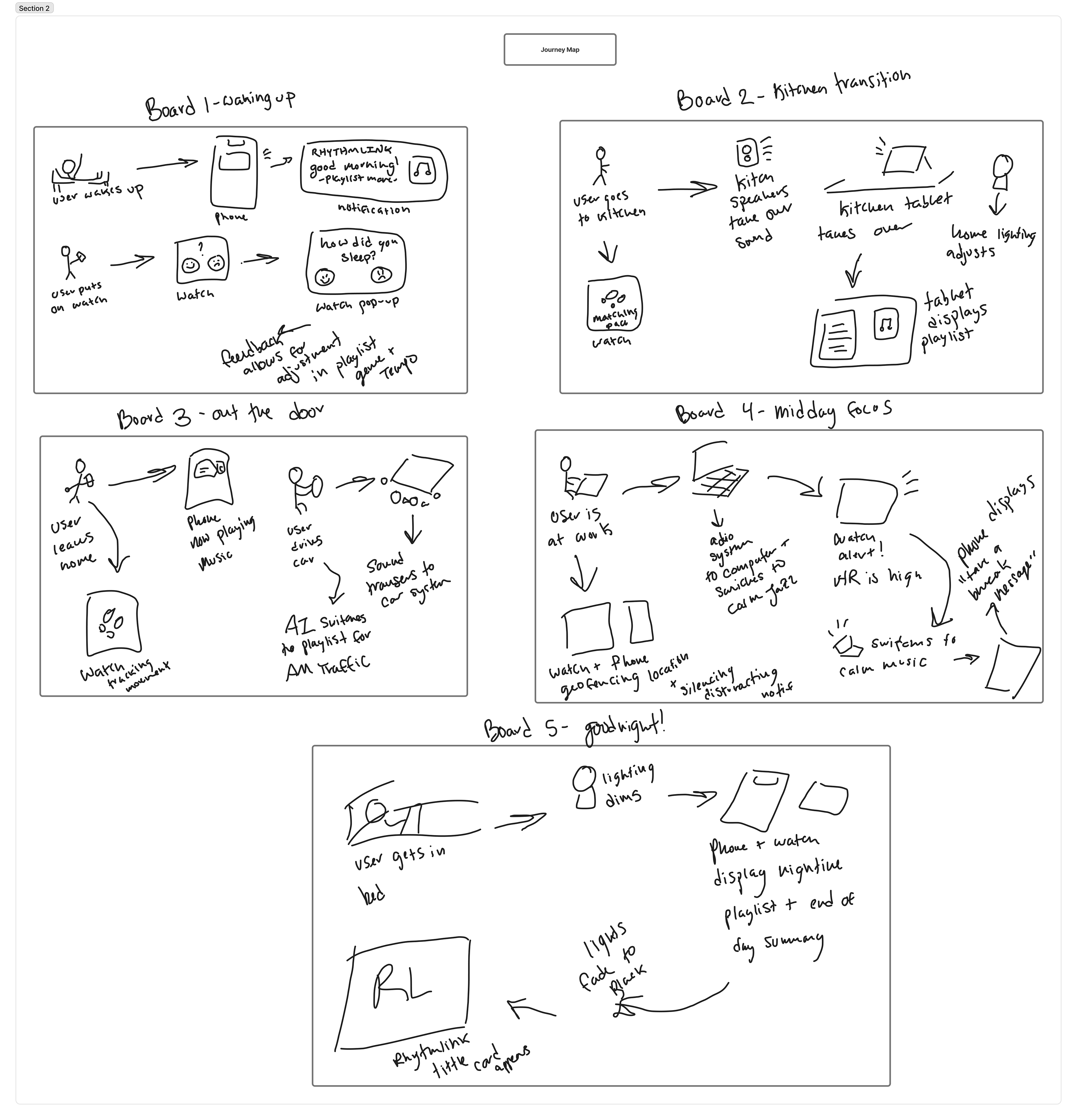
It starts the moment the user opens their music app at home and RhythmLink begins to adapt the environment around them. As they progress through their routine of leaving the house, commuting, arriving at work, and winding down later, the system seamlessly hands off between devices, adjusting playback, lighting, and temperature. The user's watch is used as the quick-action controller, the mobile app as the main interaction hub, while the home sound system and lighting respond automatically. Intelligent behaviors activate at key transitions: detecting movement between rooms, changes in activity, or shifts in listening habits. RhythmLink keeps the user in control while stepping in to enhance comfort, flow, and immersion.


User Journey - Sketch Map
Components Overview
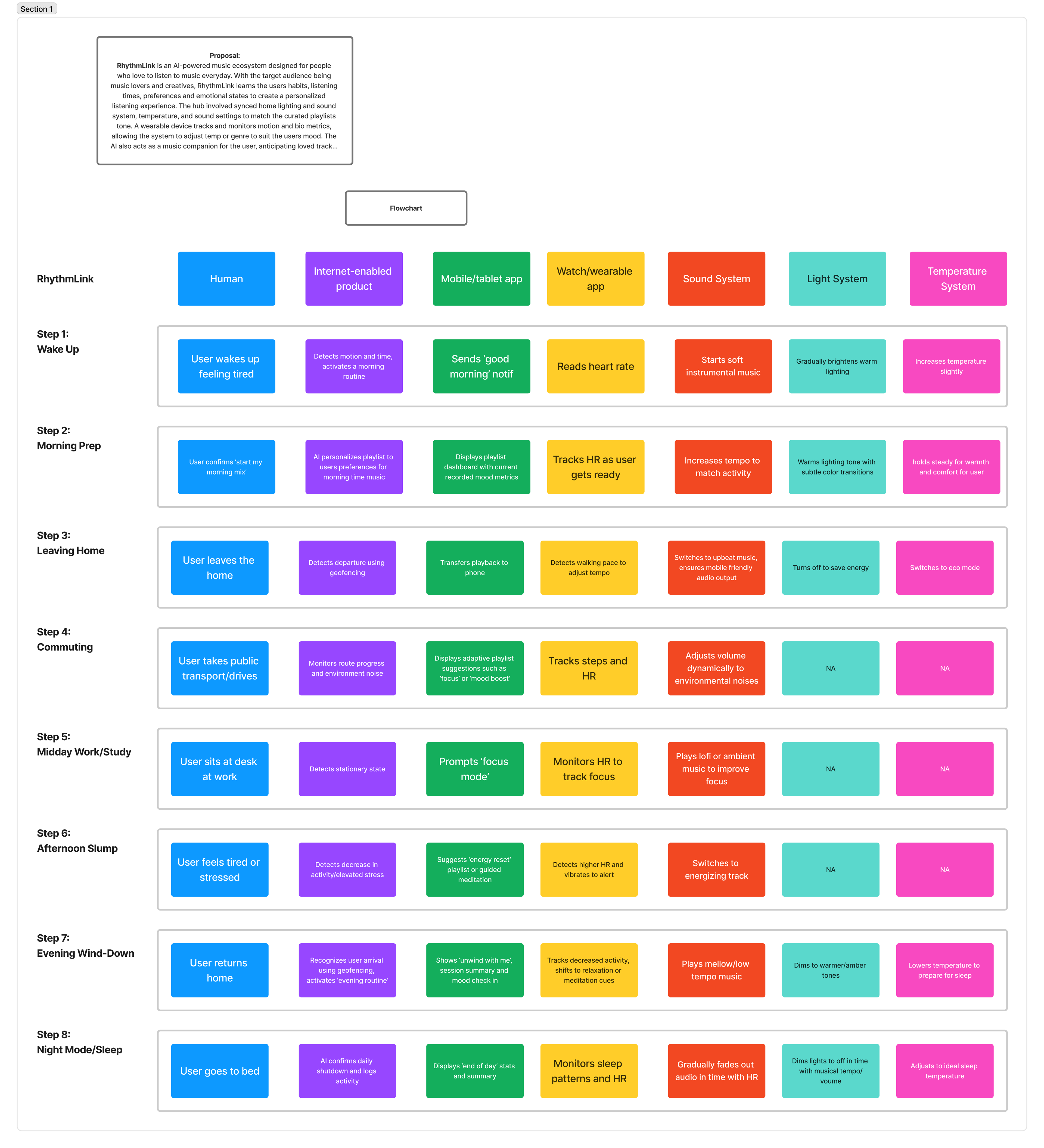
RhythmLink's five key elements-the Mobile App, the Wearable, the Home Hub, the Sound System, and the Environmental Controls-each add a different layer of intelligence. The phone acts as the command center, the watch handles lightweight interactions, and the home hub coordinates all connected devices. The sound system adapts dynamically based on context, while lights and temperature create environmental harmony around the user's listening experience. All these together act as a single ecosystem, sharing data, adapting behavior for seamless, personalized music immersion.

Component Table - Created with Figma

Solution
Primary Interaction Hub

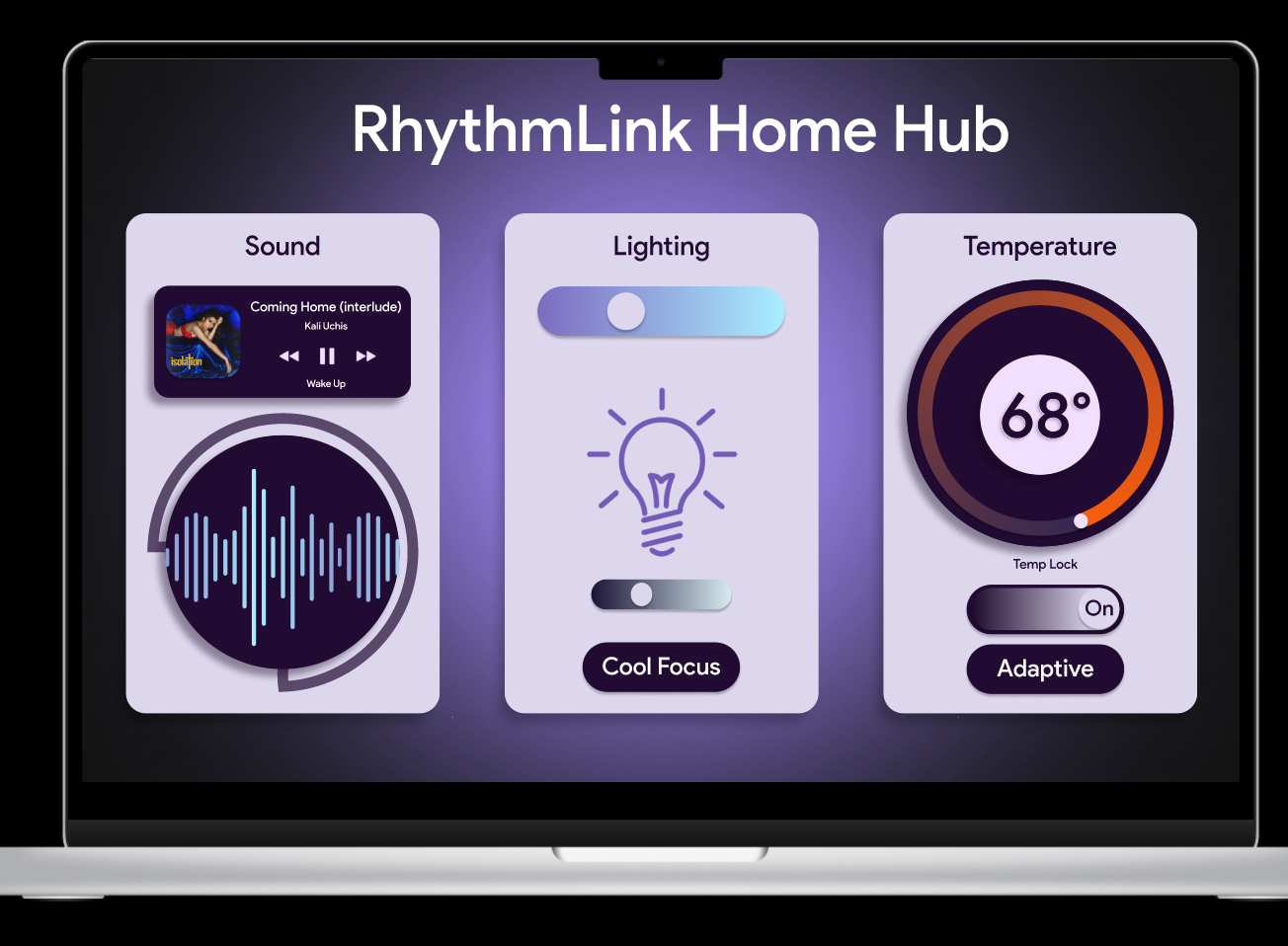
Shows the full-environment overview, including lighting, temperature, and sound zones. Communicates intelligence clearly with subtle visuals that explain what the system is doing and why.
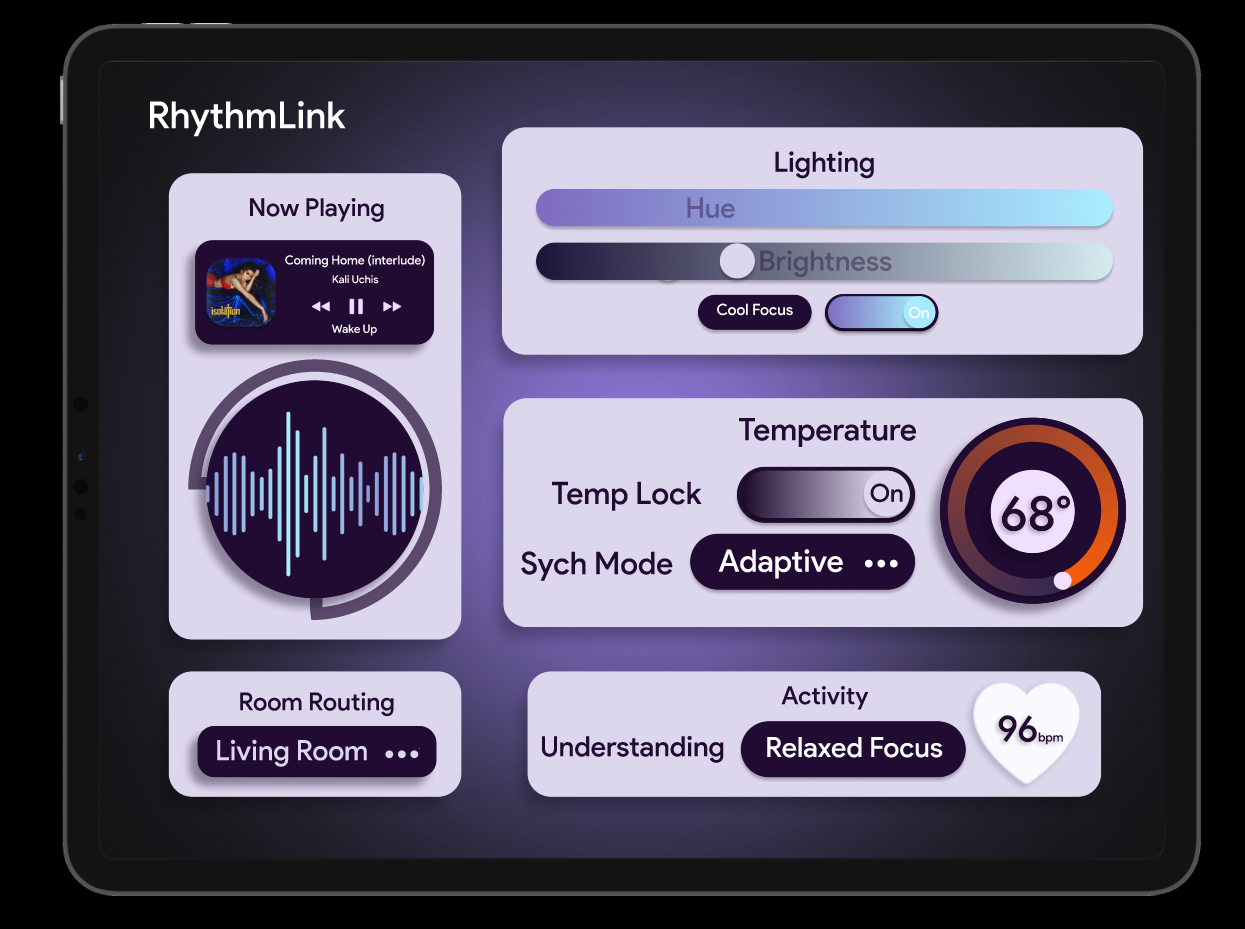
Tablet Interface

This tablet interface acts as the mid-level control surface for RhythmLink. Users can manage music playback, lighting, temperature, and room routing in one cohesive dashboard, with real-time adjustments driven by biometric and contextual signals.
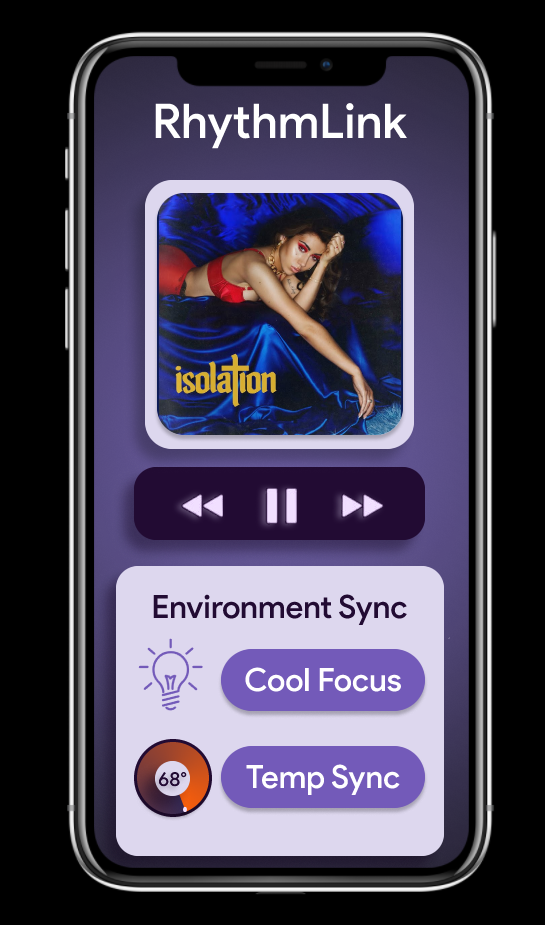
Mobile Interface

Acts as the main user touchpoint, offering playlist control, environment tuning, and adaptive recommendations. The UI keeps transitions smooth between home, commute, and work.
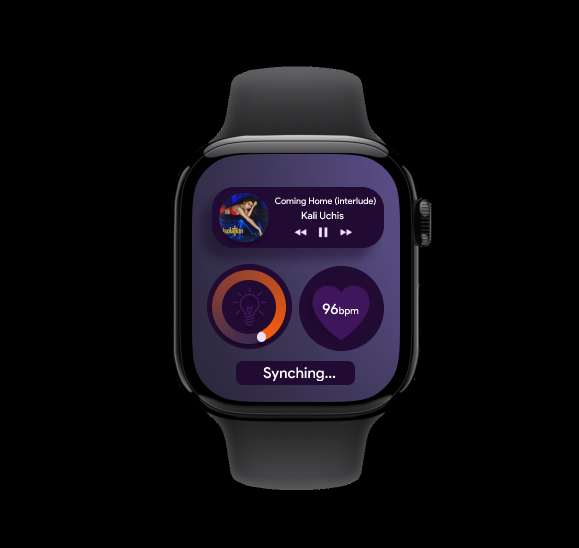
Watch/Wearable

The wearable enables fast, glanceable interactions. It displays live track info, biometric feedback, and one-tap controls while offering subtle haptics that align with activity and mood.
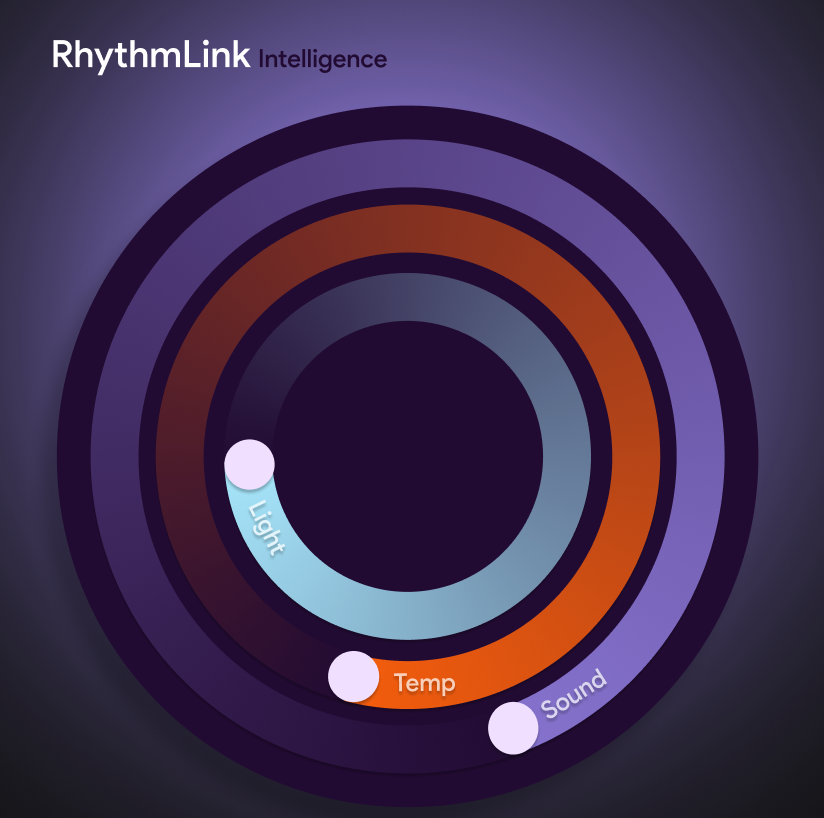
Environment System UI

This visualization shows how RhythmLink synchronizes audio, lighting, and temperature across the home. The interface highlights how the system adapts to mood, rhythm, and context in real time.
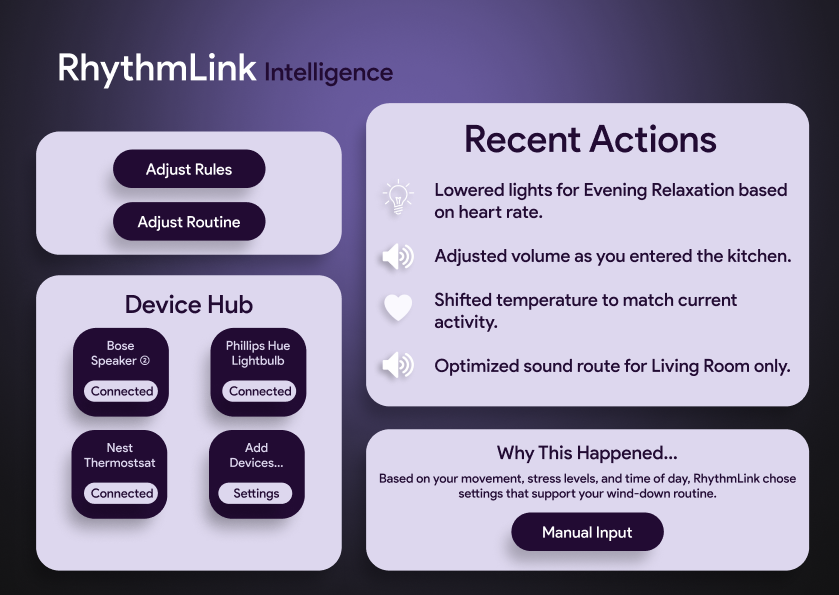
AI Agent Overview/Human-in-the-loop

The AI Agent view explains the system’s decisions in human-friendly language. Users can see recent adjustments, understand why they happened, and optionally override or refine the system’s behaviors. Allows for human input, and in-the-loop interactions.

Demo
Reflection
Working on RhythmLink ended up being way more fun and challenging than I expected. At first I thought the idea of connecting music to everyday environments might feel too big or too futuristic, but once I started sketching out how someone would actually use it in their daily routine, it suddenly felt believable and even kind of comforting. I really liked imagining all the tiny moments where the system steps in to make things smoother, like changing the lights when a song drops or adjusting the temperature before someone gets home. Thinking about it from a human point of view helped me stay grounded, and it kept the project from drifting into tech-for-tech’s-sake territory.
Designing the screens for the different devices made me realize how important consistency is across an ecosystem. The tablet had to feel like a dashboard, the watch needed to feel effortless, and the environment system screen had to work almost like a backstage control room. I spent a lot of time trying to balance personality with clarity. I wanted everything to feel soft, modern, and music driven without looking messy. It made me appreciate how much thought goes into real product ecosystems that most people never notice.
Overall this project taught me that good design is about rhythm. Not in the music sense, but in the sense of flow and pacing and how one action leads to another. Getting all the interfaces to feel connected, imagining the user’s day, figuring out the environment flow, and building the whole story around music made me feel like everything clicked into place. I walked away from this feeling proud and a lot more confident in my ability to design across multiple platforms, tell a cohesive story, and create something that actually feels alive and real.
Back to Top